Browser Extension
All Links Downloader
Download all links from any webpage in just a few clicks.
About All Links Downloader
All Links Downloader is a powerful yet easy-to-use productivity browser extension designed to help users collect, organize, and download links from webpages quickly and efficiently.
Whether you are conducting online research, reviewing large amounts of content, archiving resources, or simply managing your daily browsing activities, the extension provides a convenient way to gather all links available on a page in a single place.
Users can filter, sort, and review extracted links before downloading them, making it easier to focus on the content that matters.
The extension is particularly useful for researchers, students, content creators, web administrators, and anyone who regularly works with large collections of URLs.
By streamlining the process of link extraction and organization, All Links Downloader saves time, reduces repetitive manual work, and improves overall browsing productivity.
Whether you are conducting online research, reviewing large amounts of content, archiving resources, or simply managing your daily browsing activities, the extension provides a convenient way to gather all links available on a page in a single place.
Users can filter, sort, and review extracted links before downloading them, making it easier to focus on the content that matters.
The extension is particularly useful for researchers, students, content creators, web administrators, and anyone who regularly works with large collections of URLs.
By streamlining the process of link extraction and organization, All Links Downloader saves time, reduces repetitive manual work, and improves overall browsing productivity.
Key Features
- Extract links from webpages
- Collect all page URLs in one place
- Filter extracted links
- Sort and review links before downloading
- Download selected or collected links
- Useful for online research
- Helps with content review and resource archiving
- Reduces manual copy and paste work
- Simple browser-based workflow
- Designed for productivity and URL management
Who Is It For?
All Links Downloader is designed for researchers, students, content creators, web administrators, SEO users and anyone who regularly works with large numbers of links.
It is especially useful when reviewing webpages, collecting resources, checking references, archiving content or organizing URLs for later use.
How It Works
Open a webpage and launch the extension from your browser.
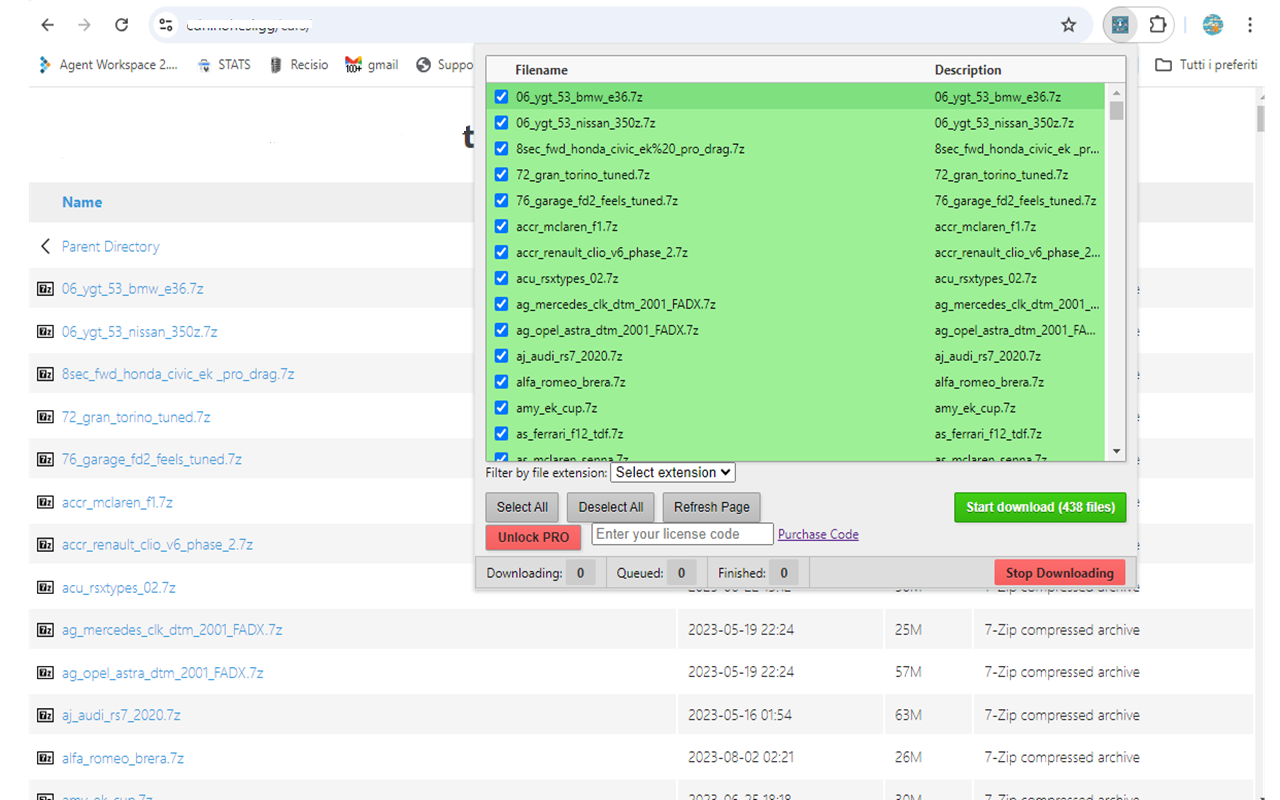
All Links Downloader scans the page and displays the available links in a structured list. You can review the results, filter or sort the URLs, select the links you need and download them for easier organization or later use.
Supported Formats / Platforms
- Google Chrome
- Microsoft Edge
- Chromium-based browsers
Demo Video
FAQ
What does All Links Downloader do?
It extracts links from webpages and lets you review, filter, sort and download them.
Do I need to copy links manually?
No. The extension helps collect available links from the current webpage automatically.
Who can use this extension?
It is useful for researchers, students, content creators, web administrators, SEO users and anyone who works with many URLs.
Can I review links before downloading them?
Yes. You can review, filter and organize extracted links before downloading.
Is it useful for research?
Yes. It can help collect references, resources and webpage links more quickly during online research.
Get All Links Downloader
Install All Links Downloader and save time when collecting, reviewing and downloading links from webpages.
Part of the SoftwareApp product collection. This page provides official product information and direct access to the product download or external page.